We watch a lot of ads and I usually guess (and sometimes rage) at why I am being shown a specific ad. The reason you get those ads is actually sitting in plain text in a network request that you can read yourself. The browser doesn’t see every server‑side decision but it shows enough to be informative and useful. This post is to help you dig those out.
I dive deep into personalization and data flows for a living, so I’m usually in these requests occasionally and you can usually infer a lot from the outside, with nothing but the browser you already have with no paywalls.
For now its still readable so enjoy the last stage of this glorious era as it starts to go quiet.
By the end of this, you will know:
- how to find ad-related network requests in Chrome DevTools
- identify which ad server is filling a given slot (Google Ad Manager, Xandr, Magnite, and so on)
- read the query-string parameters in an ad request: site, zone, size, key-values, deal IDs
- spot the third-party pixels that fire alongside the ad (verification, measurement, cookie syncs)
If you can do that, you can get a general sense of what’s going on with any ad on the internet you come across.
- Open any news site (cnn works great). Hit F12, go to the Network tab, and type
gampad/adsin the filter box. - A list of calls to
securepubads.g.doubleclick.net/gampad/adsshows up. - Click one.
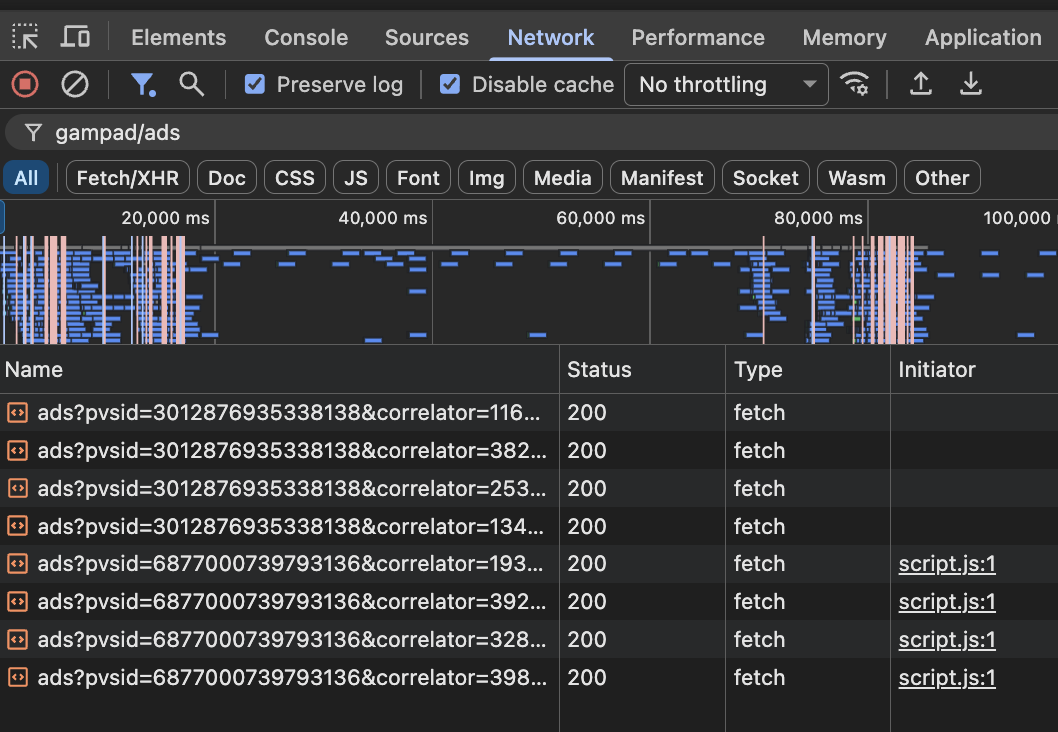
That query string is what we came for. You don’t need access to anyone’s ad server - you only need to know which requests to read.
As you already noticed on the Network tab - there’s a flurry of activity when you load that webpage, every ad on the web leaves a trail of network requests , the ad server is firing, the parameters are being passed around and tracking pixels are pushed into the network.
The Cheat code: filter strings worth memorizing
Type these into the Network tab filter box, one at a time:
| Filter | What it surfaces |
|---|---|
gampad/ads | Google Ad Manager (GAM) ad requests (securepubads.g.doubleclick.net/gampad/ads?...) |
doubleclick | Anything GAM/Google related, including impression pixels |
prebid or hb_ | Header bidding activity |
adnxs | Xandr (formerly AppNexus) |
rubicon or magnite | Magnite |
pubmatic | PubMatic |
criteo | Criteo retargeting |
pixel or sync | Cookie syncs and tracking pixels |
.gif | Old-school 1×1 impression pixels |
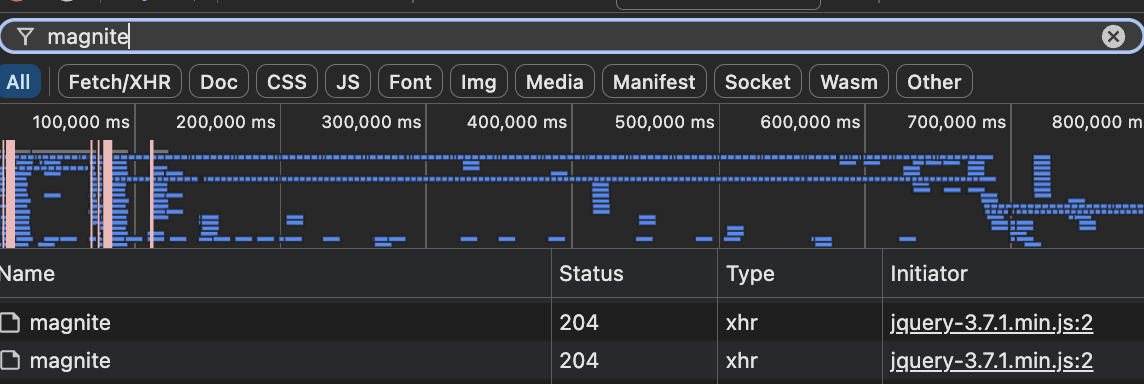
magnite surfaces every call to that exchange.The domain tells you the vendor and after a couple of weeks of doing this, if so inclined, you’ll start to be very well acquainted with these frequent visitors.
Anatomy of a GAM ad request (Google Ad Manager)
Most of the open web runs through GAM, so its easy to dissect one of its requests.
- Find a call to
securepubads.g.doubleclick.net/gampad/adsand click it.
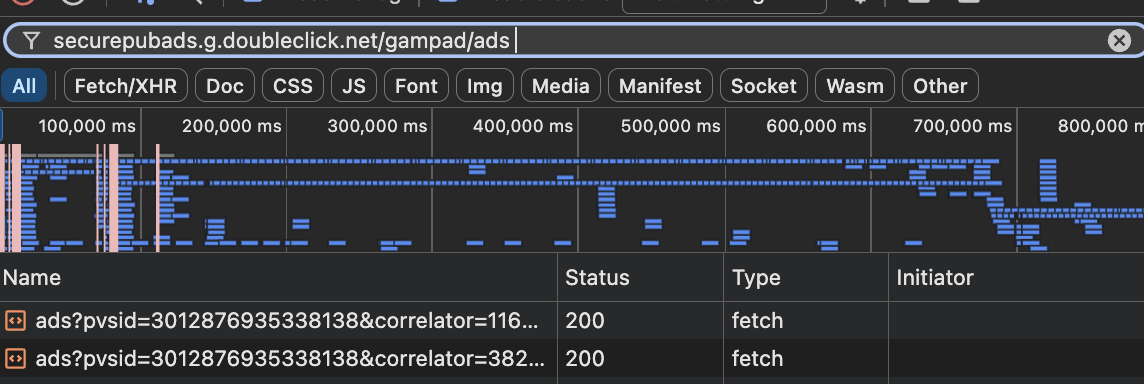
gampad/ads calls. Each row is one Google Ad Manager request; click any one to open its request URL.The query string is long and ugly like those Chrome auto-generated passwords, but a handful of parameters do most of the talking:
https://securepubads.g.doubleclick.net/gampad/ads?
  iu=/1234567/news_homepage/leaderboard      <- ad unit path: network ID + slot
  sz=728x90|970x250                          <- sizes this slot accepts
  cust_params=section%3Dsports%26pos%3Datf   <- key-values (targeting)
  ppid=...                                   <- publisher-provided ID
  cookie=...                                 <- the user identifier
  url=https://cnn.com/article            <- the page the ad is on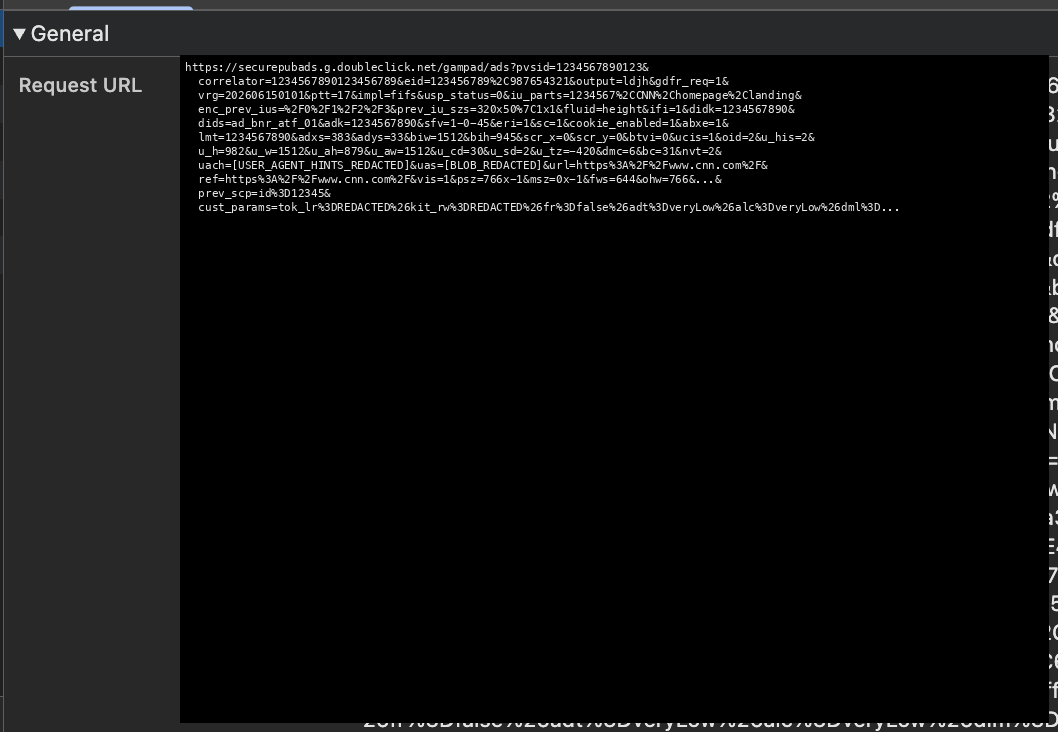
iu_parts marks the slot, cust_params carries the targeting.Two of these you’ll use constantly:
iutells you which slot. If the homepage leaderboard (first ad you see on the page) isn’t serving,iuconfirms the request went out.cust_paramsis what the page tells the ad server about you and the page. If a campaign targets section=sports but isn’t delivering, we can check if the page is actually sending section=sports.
If you’re looking at a programmatic deal, hunt for a deal ID in the response or in the header-bidding requests (often a dealid parameter - like hb_deal/hb_deal_ttd header-bidding deal IDs passed from The Trade Desk (ttd) into GAM, amzndeal is an Amazon Publisher Services deal, amznactt=SHARED_PMP confirms it’s a shared private marketplace deal and so on)
Filter for hb_pb or prebid - those are the most likely places to catch deal IDs in flight.
Note - If there is no dealid - this likely means no programmatic deal is being requested. It’s running in open auction. Usually premium sites like WSJ, Guardian etc will have deal IDs all over the place. Like most things in adtech, there are exceptions and these usually apply for standard setups,
Following the chain: who actually served the ad
Now that you know the key parameters to look for the ad request, the next step is to figure out who actually served it.
The ad response is either the creative or a redirect chain (i.e. I asked someone else to serve it at a price). To see who served the ad from who merely resold the impression, follow the hops:
Example: Guardian homepage leaderboard
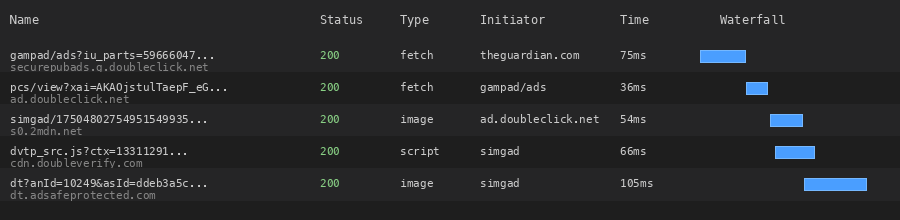
1. First hop - Publisher’s ad server: securepubads.g.doubleclick.net/gampad/ads?iu_parts=59666047,theguardian.com,us,front,ng
GAM receives the request. The prev_scp tells us the winning header-bidding bid was The Trade Desk with hb_deal=opath-6023-4001-855ttiict7. ( you can’t see it in the screenshot but its part of the name)
2. Second hop - Impression counting / viewability setup: ad.doubleclick.net/pcs/view?... - GAM’s impression pixel / active view setup
3. Third hop - Creative serving: s0.2mdn.net/simgad/17504802754951549935... - the actual creative image file from Google’s creative CDN (s0.2mdn.net)
4. Pixels riding along (more on this below):
cdn.doubleverify.comanddt.adsafeprotected.com- verification/viewability scriptspagead2.googlesyndication.com- Google’s active view measurement (you’ll see these a lot usually)tpsc-uw1.doubleverify.com- DoubleVerify measurement pixel
So the real chain -
GAM → ad.doubleclick.net (counting) → mdn.net (creative) → verification pixels.
The creative came directly from Google’s CDN, the Trade Desk won the header-bidding auction, but the final creative delivery went through Google’s infrastructure.
This whole chain is also why reporting is likely to be broken and never reconciles. Every hop counts the impression at a slightly different moment, so the publisher’s number, the exchange’s number, and the advertiser’s number are all measuring slightly different events. (There are also many other incentives at play but that’s for another post.)
The pixels riding along
Around every ad request you’ll find a cloud of third-party pixels riding along like Yoko at a Beatles session. Three common kinds:
- Verification and viewability:
doubleverify.com,adsafeprotected.com(IAS),moatads.com. The advertiser is paying someone to confirm the ad was actually rendered and seen. - Measurement and attribution: calls back to the advertiser’s analytics or a mobile measurement partner. (google syndication and doubleverify above)
- You may also see DMP and cookie syncs: requests named things like
sync,match, orcmthat bounce between domains carrying user IDs. This, though, is identity plumbing, not measurement and thats a whole another interesting topic.
Automate it - AdPeek ( a command line tool)
As you can tell, this is painful once you do it a couple of times. An easy way to level up here to make this easier is export a HAR file (json) and grep it.
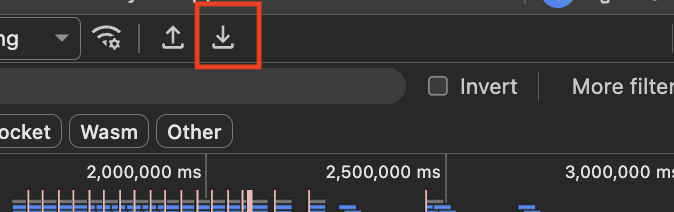
In the Network tab, right-click and “Save all as HAR.” A HAR is just JSON with every request on the page. You can pull every ad call out of it by using something like below.
cat page.har | jq -r '.log.entries[].request.url' \
  | grep -E 'gampad/ads|adnxs|rubicon|pubmatic|prebid' \
  | sort -u
This will give a flat list of every ad request the page made.
You could always look at it here: https://toolbox.googleapps.com/apps/har_analyzer/ though you may not want to upload your data to yet another site.
I built a small command-line tool, adpeek, that does this for you. Point it at a HAR export and it prints which ad server filled each slot, what targeting went through, which exchanges bid, and which third-party pixels fired. It’s a good starting point if you want to roll your own.
This is getting harder…
The Network tab is just the start. Once you can read ad requests, the same skill can be used to build alerts when a slot goes dark, reconcile impression counts across hops, track and prevent network requests to unwanted locations etc.
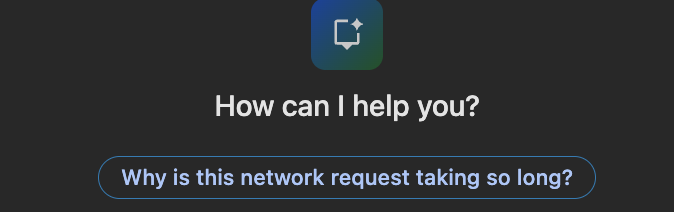
And the AI tooling that’s also been crammed into chrome will possibly help though it gave me mixed results when I tried all the above steps with a prompt.
As ad buying moves into AI engines - models deciding in real time which creative to show whom - will be likely even more opaque. The query string via browser logs is one of the last places the system still explains itself in plain text.
Like our yearning for everything thats real amongst stuff thats fast turning synthetic, we’ll probably be nostalgic for this despite its current imperfections at some point.