TLDR: You can’t prompt Suno AI into behaving the way you want in some cases, but you can prompt it into leaving some space or split the stems and mute the rest.
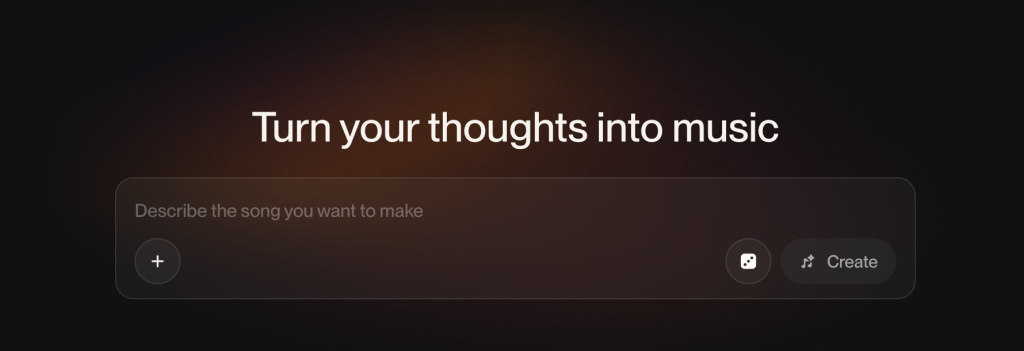
I spent an embarrassing while trying to get Suno.ai to hold a single D chord over an ambient pad and do nothing else. It kept writing me a song instead, adding fills and a counter-melody in the gap I’d left, then bringing in drums by the second section. That’s the whole struggle with backing tracks, and it took me a bit to work out why it happens.
I’m not a fan of the substandard AI-slop pervading our senses like most folks. But the optimist in me still believes there’s a path to improved human productivity by standing on the shoulders of AI that we could never reach ourselves. The AI-hating music crowd has salient points about misuse and betrayal, justifiably, but sometimes diminishes the productivity gained by hacking the AI’s superior task completion times. I know there will never be another Holdsworth, but help me get closer to that divinity.
So I’ve been dabbling with audio models a lot, generating backing tracks and stems I can reuse to cut time on compositions I want to jam over. A typical workflow: build an ambient track in Suno, generate stems, drop it into Logic, improvise over it. I look back at my older experiments and marvel at how far things have come. That charming din I produced years ago sounds like a toddler banging pots next to what I can conjure now.
Most of the workflows I’ve seen are to type a mood or something close to a song you love, hit generate, and get a finished-sounding track that’s great for thirty seconds and useless the second you try to build on it. A complete arrangement with no feel and no room for improvisation. That’s a prompt for a song, when what I actually want is something with space in it, a track in a known key and tempo, parts I can pull apart and reuse and stretch my creativity and technique.
The hard part is that a backing track is defined by what it leaves out, and Suno was trained on fully-baked songs I presume, which are defined by what they put in.
Why it behaves the way it does
Suno hasn’t conclusively published its architecture that I am aware of, but it belongs to a known class of text-conditioned generative audio, where the model predicts one signal directly (a neural-codec token stream, a latent that gets decoded, or something in that family) rather than recording a drummer and a bass player and mixing them down. Whatever the exact stack, it’s generating the whole mix jointly, all at once, from my text.
Despite what the architecture is, two things seem clear to me.
First, there’s no true multitrack hiding inside the file and it seems the parts were never separate to begin with. That’s why, for years, “give me the stems” meant frequency-splitting a finished mix and getting smeary results with drums bleeding into the bass. I built a fairly decent stem splitter here, and the upgraded Suno membership, so far as I can tell now, is pretty great at splitting stems out to the tracks you need.
Second, it renders a smooth, idealized, well-mixed and compressed performance, and I’m a big fan of some of these mixes. No pick attack, no string buzz or bum notes, none of the small timing errors that make something feel played. It’s great for a track you’re going to shred a lead on top of, warts and all.
I’ve realized after banging my head on this for many hours that the same training that makes those mixes sound like finished records is exactly what stops it from handing you a bare track that you can fill in. A static, empty vamp barely exists in a dataset of complete songs, so it’s a low-probability output. When you ask for one, the model’s default pull is back toward the ‘average’ of what a song does - this is why the creativity output seems a bit too polished.
I think the best workflow is to prompt for what the model is good at (texture, mood, harmony, arrangement) and engineer around space, dynamics and the human feel.
Prompt for material, not a finished track
The whole genre teaches you to prompt for a completed song, as is evident on the platform. If you’re going to build on top, you want the opposite: a track with a hole in it where your part goes.
Here’s the real prompt behind an ambient track I recently put out:
electronic, atmospheric, instrumental, japanese melodic sensibility,
meditative hypnotic motif, lush ambient synth pads, sparse lo-fi drums,
wistful melancholic beauty, suspended chords, pentatonic phrasing,
slow patient tempo, wide stereo reverb wash, clean modern production,
space for lead instrument to breathe, cyclical evolving repetition,
tokyo night atmosphere, neon reflection on wet pavement mood
The highest-leverage phrase in there is instrumental plus space for lead instrument to breathe. That’s exclusion and arrangement, telling the model what not to fill and where to leave a hole. Negative and arrangement language (“no guitar,” “leave the chorus open,” “sparse instrumentation”) usually seems to work. Suno builds the whole mix at once, so telling it to leave something out shapes the result more than adding one more descriptive word. I’ve found I get cleaner, more predictable room in the register I am going to play in.
suspended chords, pentatonic phrasing hands over the harmonic language, which pins down what will and won’t clash when I build on top.
slow patient tempo, cyclical evolving repetition makes it loopable, and a 30-second track I can loop beats a 2-minute track that changes structure on me halfway through.
Naming the feeling (wistful melancholic beauty, tokyo night) constrains the emotional feel, which holds together better than a pile of genre tags.
This is like writing a data contract and one feature I would love is for Suno to provide an optional ‘data contract’ like a structured json file that ensures the generation does not veer away from the hard constraints specified in the json while considering the text prompted. The prose prompt handles the soft stuff, mood and texture, while the JSON pins what’s non-negotiable. Something like:
{
  "key": "D major",
  "bpm": 120,
  "exclude": ["drums", "lead melody", "fills"],
  "structure": "static, no section changes",
  "length_sec": 120
}
When it won’t hold still
As a time and space constrained musician, I don’t have all my midi instruments plugged in though my Mac is at an arm’s length. My midi keyboard is possibly stacked against a wall so I have space to walk. When I’m in the zone, I don’t want to break flow by poking around with midi sounds for 10 minutes. It may sound silly but when my primary focus is practicing guitar with a backing track, I have no interest in putzing around with my keyboard to get a few chords out or mess with the piano roll in Logic clicking and dragging some bars that won’t behave.
Let’s say I want a D chord. I try to get that out of Suno, a single chord over a soft pad and nothing else, and I watch it for hours ignoring me. It adds a fill, a damn counter-melody nobody asked for, and by bar eight there are drum fills that sound like my airpods stuck in my dryer.
A two-word prompt gives the model nothing to push back with, so it fills the space the way its training says a song should. The only sorta fix is to steer hard into the sparse region, and when that isn’t enough, stop fighting it for my own sanity:
- Exclusion language, repeated. Not “simple.” Say
static, drone, one-chord, no fills, no melody, no drums, no build. Those words point at a genuinely sparse corner of the distribution. “Simple” and “ambient” don’t, since plenty of busy tracks wear both tags. - free
time, very slow, no rhythm, sustained textureremoves the scaffolding that usual fills hang off. - Keep the palette tiny since every instrument I name seems to be one it might hand a fill to.
- Generate short and use your DAW to loop it yourself. I found this very reliable as Suno is good at ten seconds of a held bar and bad at staying still for two minutes, so make the cell in Suno and make the duration in your DAW.
Here’s the prompt I landed on for a static D track.
ambient, instrumental, single sustained D major chord, drone,
static, no chord changes, no progression, no fills, no melody,
no lead, no drums, no percussion, free time, very slow,
warm analog synth pad, soft felt piano, wide reverb wash,
minimal, meditative, space for a lead to breathe
Even then it drifts frustratingly as it’s a model seemingly sampling a distribution, so expect a few takes to get sorta close. Even then I abandoned all of it as it just kept adding stuff. If all you want is one held chord, playing it yourself on a soft patch is faster than talking Suno into standing still.
Let it fill + split it apart
Sometimes the fastest way to a clean patch is to stop fighting and let Suno write its busy little annoying arrangement, then pull it apart and keep only the layer you wanted. That turns a stem splitter into a backing-track tool and you just mute everything you don’t need.
As of Suno v5.5 there’s Advanced Split - instead of carving up the finished audio, it regenerates each part on its own, conditioned on the mix. You pick from around a hundred instruments and the model renders that track fresh. There’s no crosstalk because the drums were generated as drums without any bleed in so it works slightly better than my htDemucs stem splitter I usually use.
Note though, Advanced Split is a Premier-tier feature and that gives you 2,500 credits, refreshed monthly. I have not upgraded to it yet but if you’re pulling material to remix, reamp and drop into a session, this is the version you would want to purchase. In my current plan, regenerated stems survive real EQ and compression without falling apart and the lossless wav export helps you take it up a notch in Logic.
Suno Studio (also Premier) is a browser multitrack and I have not upgraded to it yet but from the docs, it seems to generate stems into take lanes, gives you basic mixing, and exports full-song WAV, per-clip WAV, or MIDI from a stem. I love that Suno has that MIDI export feature that’s a game-changer to re-voice it with any instrument you own and re-perform the dynamics by hand to add the human feel back.
The cheat sheet
A prompt recipe that usually works:
[key] + [tempo], [instrumental / exclusions], [what fills the space],
[static vamp OR progression], [mood, not genre],
[leave room for ___], [loopable / cyclical]
Overall, I think Suno gets better the less you ask it to be a finished song for what I’m after, i.e. minimal creative interference and a productivity hack. I plan to experiment more with Suno and reconcile AI-human creativity.
The applied version of this, building the ambient track and improvising over it, is here on YouTube.


The distinction you draw between asking for a finished song and asking for a usable D-chord backing track is important. Constraining the prompt to harmony, tempo, and instrumentation seems like a better way to keep the musician in control of the performance.
thanks.checked out your site, pretty cool