In large enterprises with high-stakes data accountability, building a semantic layer is essentially the crux of making sure modern agentic systems respond with a level of quality you can trust. Without it, you end up with the equivalent of precogs in Minority Report where confidence is truth.
Tool calling makes it easy to turn words into SQL, but the overall quality of the output depends on whether you can trust the output and the query it wrote. I have experienced agents reporting successful tool calls and well-formatted answers, but the grain was just off and folks assumed the answer was right unless they had the instinct or tribal knowledge to call BS on the output.
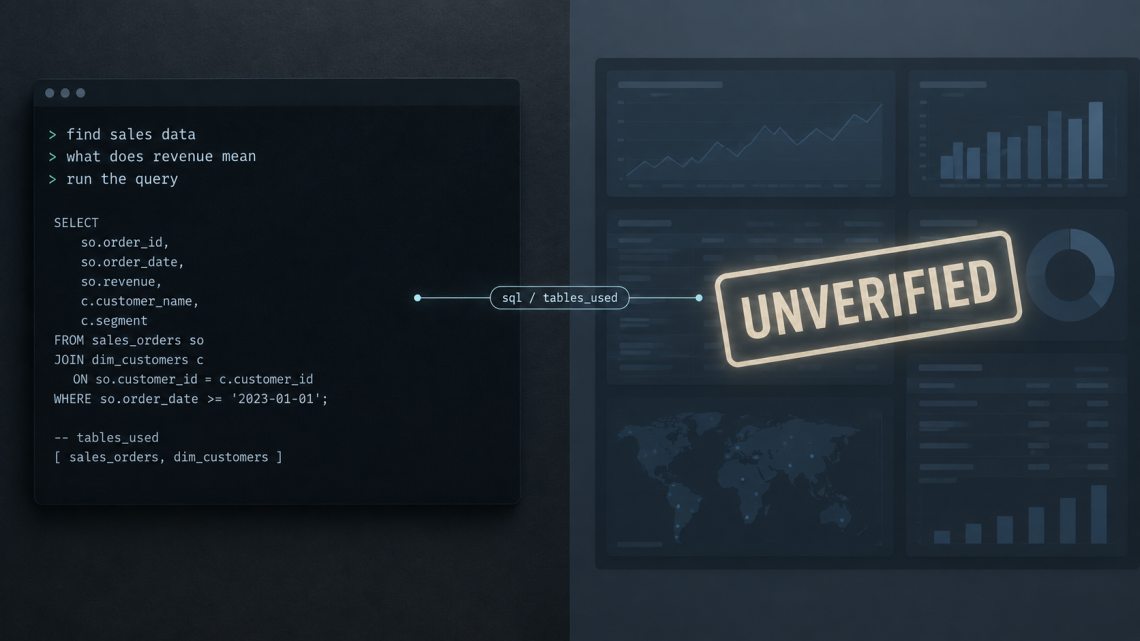
Trust comes from knowing the agent understands the metrics in terms of the context, and from the agent returning receipts - SQL and tables, in this case.
I built a small template to illustrate this for a recent hackathon.
Example
The sample files are in the repo. This is a trivial example where you have metrics and sales data that you need to query.
metrics.md:
Revenue is the sum of orders.amount where status is completed. <br>Grain is one row per order. <br>Do not include pending or refunded orders.sales.md:
The sales dataset is customers and orders, joined on customer_id. <br>Use it for revenue, country, and order-status questions. <br>Finance ledgers are out of scope here.The agent cannot skip this and cannot reach the warehouse data without passing through the catalog and the metrics notes first. The semantic layer is three files in this template: a catalog row with an owner, a metric note with grain and exclusions, and a dataset note with the join and what is out of scope.
That is the semantic layer at its smallest.This can be scaled to a warehouse or any semantic layer that can provide the underlying data.
The agent has five tools
search_catalogfinds the dataset.list_tablesshows columns.search_contextgreps the markdown notes.validate_querydry-runs the SQL.execute_queryruns it, capped at ten rows, on a read-only connection.
Try it in the CLI
- run ‘python cli.py’
- ‘
find sales data‘ returns the sales dataset and its tables. 'what does revenue mean‘ returns the note frommetrics.md.- ‘
run the query‘ sendsexecute_querywith nosqlargument. Pydantic rejects it every turn. After eight turns you getmax turns exceeded.
The loop
The loop is in dataagent/agent.py:
async def chat(self, message: str) -> AgentResponse:
    messages = [Message(role="user", content=message)]
    tools_used: list[str] = []

    for turn in range(MAX_TURNS):
        decision = await self.llm.select_tool(messages, self.registry.list_tools())
        if decision.tool_call is None:
            return self._respond(messages, turn + 1, tools_used, answer=decision.text)

        call = decision.tool_call
        try:
            tool = self.registry.get_tool(call.name)
            args = tool.input_schema.model_validate(call.arguments)
            result = await tool.handler(args, self.warehouse)
        except (UnknownTool, ValidationError) as e:
            messages.append(Message(role="system", content=f"error: {self._error_line(e)}"))
            continue
        except WarehouseError as e:
            messages.append(Message(role="system", content=f"error: {type(e).__name__}: {e}"))
continueThe warehouse connection is reopened read-only in the engine:
self.conn = duckdb.connect(str(self._scratch), read_only=True)The receipts
When the agent stops, it does not just return a sentence but the answer, turns, tools_used, sql, and tables_used.
These are the receipts you verify or automate verification on. The template is sorta boring and it needs to be since all it needs to do is read the definition, check the args, run the query, and show its work.
The agent will still get things wrong, but the key is to make the wrong answer inspectable without your agent becoming HAL 9000 with a dashboard. It has been very beneficial to start with the metrics and let the agent follow its lead not the other way around.